Flying Safari is a game I have created for the capstone project of the Udacity Virtual Reality Nanodegree. It provides a simple but enjoyable flight simulator and an objective to navigate around a safari park searching for the different types of roaming animals.
Category: Virtual Reality
Alex’s Puzzler Project
Alex’s Puzzler Project
This document describes Alex’s puzzler project, produced for the fourth course topic in the Udacity Virtual Reality Nanodegree. Built for Google Cardboard VR using the Unity platform, Puzzler is a simple puzzle game designed to be enjoyed by users new to virtual reality which provides a familiar Simon-says style puzzle experience within an immersive virtual environment.
User First
The approach taken with the design of this project was to place the user first, thinking about their experience when making all design decisions. As the project was intended to be accessible to first time VR users, testing was performed consistently throughout the development process with several different users with no prior VR experience. This greatly assisted in driving the project towards an experience which was both enjoyable and easy to pick up for first-timers, including those with limited technology experience of any kind.
Puzzler
Puzzler is a puzzle game set inside a mysterious mansion hidden in a mountain crater which requires players to overcome a series of challenges in order proceed and escape the mansion. Currently a single puzzle room has been implemented, which contains a Simon-says puzzle where players must remember a sequence shown to them and then repeat it correctly in order to proceed, otherwise they will be shown a new pattern.
Full game playthrough (captured on Galaxy S6)
Design Process
The design process for Puzzler began by creating a user persona to understand the target audience for the experience. This was followed by wireframing several initial designs using hand-drawn sketches to rapidly iterate through different scene and user interface layouts.
User Persona
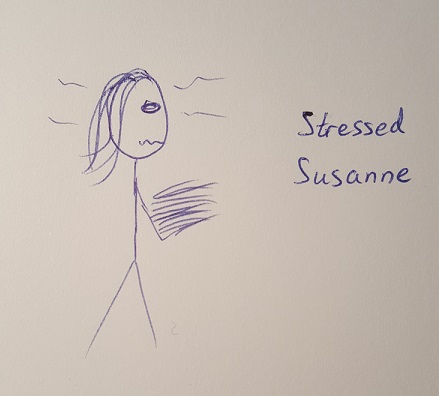
Name: Susanne
Age: 31
Occupation: Auditor
Quote: “My day is taken up with dull meetings and status reports, I need a fun way to keep my mind active”
Summary: Susanne has recently been promoted to a management role with a greater focus on leading her team to meet deadlines which feels mundane compared to the investigative auditing she used to perform. She has always liked challenges and puzzles like crosswords, and so is looking for something that can engage her mind when she gets home. She received a google cardboard viewer in a Secret Santa but doesn’t really know what to do with it yet.
VR Experience: none
Stressed Susanne carrying her heavy workload
Concept Wireframes
Scene Environment
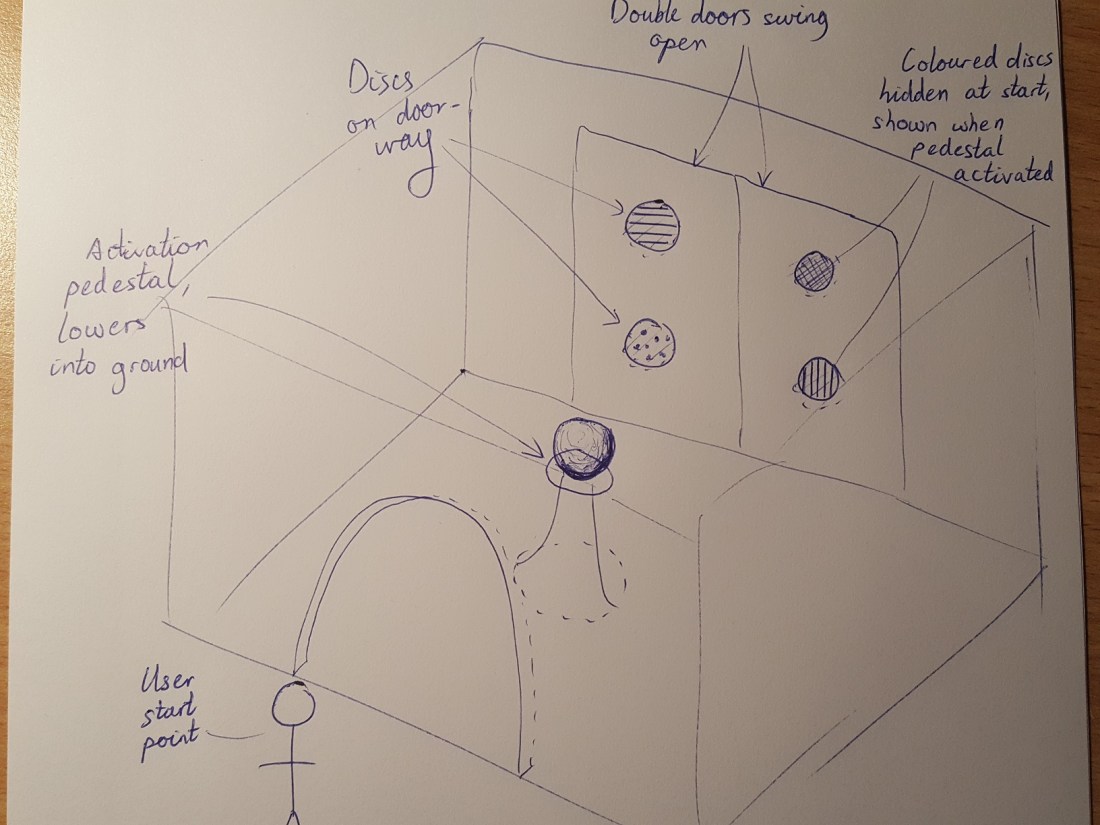
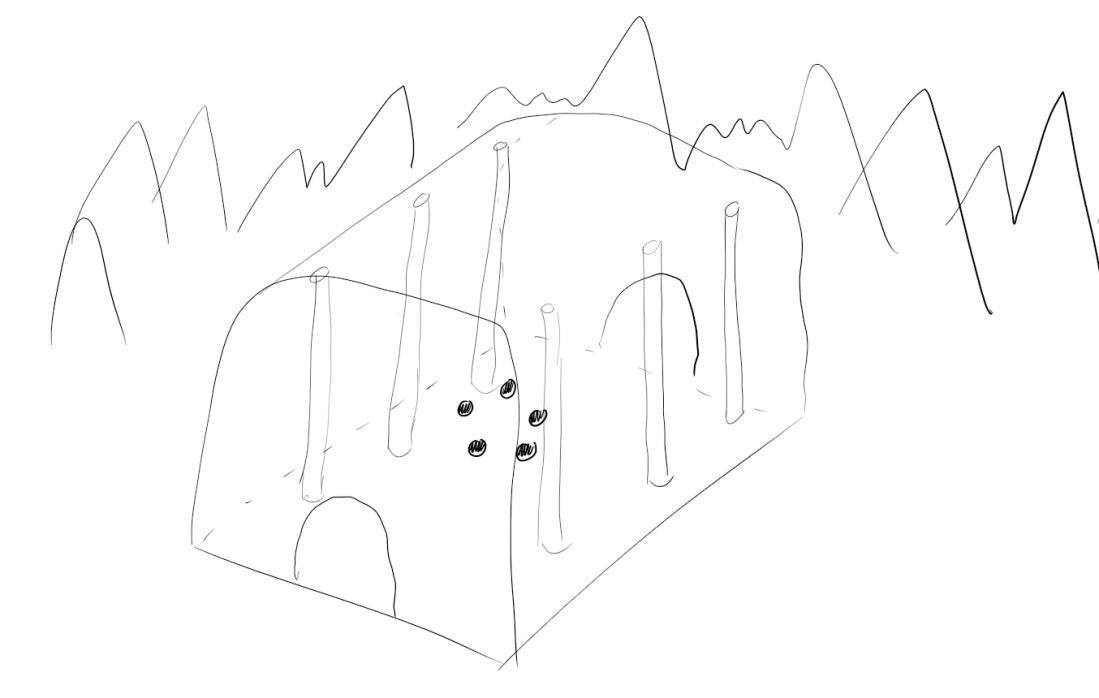
Scene environment wireframes capture the layout and positioning of objects in the scene, and to a limited extent the functionality. Initial design included a more complex two-step process of touching a pedestal to reveal and start the puzzle, which was less intuitive than having the puzzle start automatically in the second design. Adding pillars and enlarging the room also adds to the mysterious and creepy atmosphere.
First Scene Wireframe:
Second Scene Wireframe:
User Interfaces
User interface wireframes are used to rapidly prototype information and action screens that will be shown to the user within the game world. In the final design shown below the focus was on simple statements in text and clear actions on buttons to reduce the amount of reading required and allow users to focus on playing the game.
Final UI Wireframe:

User Testing
User testing was conducted at multiple stages throughout the development of Puzzler to get feedback on different components of the game to refine the experience to be one suitable and enjoyable for users new to virtual reality.
User Test 1: Scene Environment
The first user interface test was on the overall scene environment which was just the appearance and environment in which the game was taking place but no functionality. The first piece of feedback from both testers was that the room felt very cramped and small, more like a dingy basement than then intended mysterious mansion. Consequently, I significantly enlarged the room and added the pillars shown previously in the second scene wireframe to add the feeling of a grand hall.
Scene Screenshot from Unity Editor

The second piece of feedback was regarding the sound, or lack thereof. The empty environment with no game present was completely devoid of any background sounds which made it feel less real. To counteract this, I added background noises of chirping crickets to provide ambience appropriate to the mountain setting outside the room. On re-testing users said they found it much more immersive when there was sound in the scene.
User Test 2: User Interface
The second user test was on the user interface components displayed to the user at the start and the end of the game. User interface testing went well, there were no suggestions for change as users found the instructions written on the UI clear and the result of each button click was obvious before they performed it. Text was reported to be easy to read as although it was large, it was far enough away to be comfortable to see all at once.
User Test 3: Puzzle Game
The final user test was on the game mechanics themselves and playing the game experience all the way through.
Users liked the smooth motion through the gate into the room on game start, and out again on completion, but initially found it difficult to work out how to play the game itself. Visual highlighting of the gaze orbs when gazed at was successfully indicating they could be interacted with, but users were unable to tell how they were performing in the puzzle, and were surprised to be moved out of the room on successfully completing it. Addition of success and failure sounds when the puzzle was completed or failed respectively helped address this issue in re-testing as users became aware they failed and were about to be re-shown the pattern, or aware of their success and so ready to move on.
Failure Feedback
Success Feedback
Final Project
After completing design and user testing iteration stages, the Puzzler project was completed. Five key development areas were crucial to the success of this project.
Scene Environment
Surrounding mountain-scape added an interesting backdrop beyond the walls of the mansion while inside the size of the room, the pillars, torches, darkness and stone brickwork materials gave the impression of an ancient abandoned manor house filled with mysteries.
In-Game screenshot of surrounding environment (taken on Galaxy S6)

Lighting
Lighting played an important part in setting the mood within the scene, with bright sunlight outside contrasting with to gloom inside thanks to a low ambient lighting setting and short range-orange coloured point lights on the walls representing flame torches only casting a small amount of illumination around the room.
User Interface
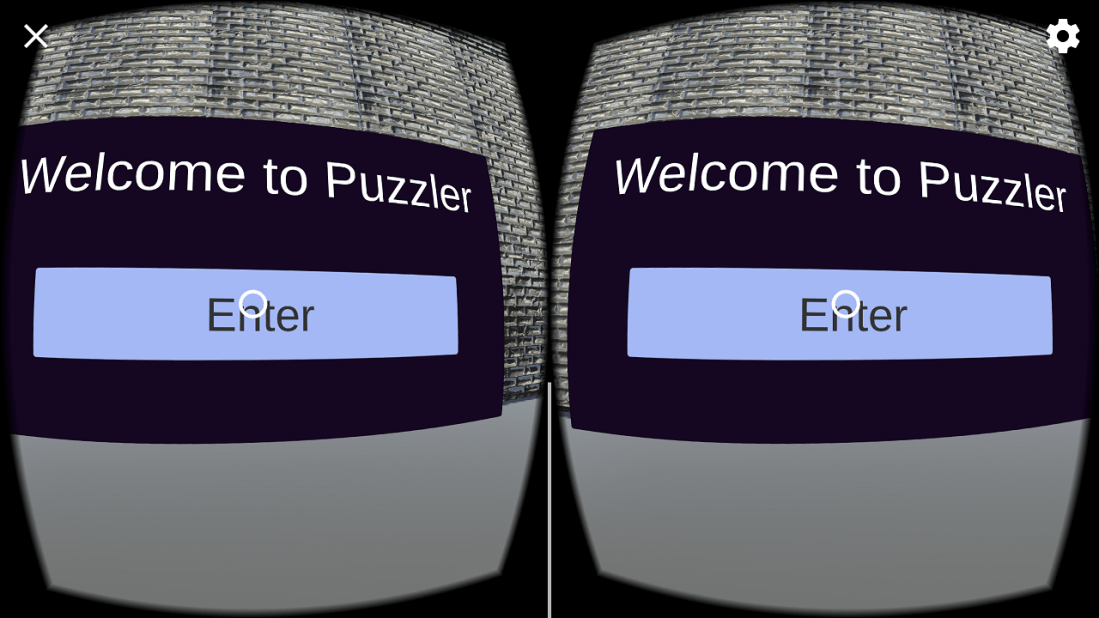
Simplicity in the user interface components, with each of the start and end game UIs containing only a single piece of text and a clearly marked button, made it easy for first time users to get started and interact with the game.
In-Game screenshot of simple UI, including button highlighting on focus (taken on Galaxy S6)
Game Mechanics
Displaying a sequence and having to repeat with button presses it is an appropriate mechanic for first-time VR users as it takes a well-known memory game and puts it in a VR environment introducing behaviour like head-tilt gazing and interaction with objects via clicking.
Feedforward and Feedback
Feedback and feedforward were essential to the first-time user experience. Visual feedforward including highlighting buttons and game orbs indicated to the user what items could be interacted with, while audio feedback in sounds played on interacting with the orbs indicated successful interaction to those unaccustomed to VR, and success or failure noises clearly indicated their progress through the Simon-says puzzle.
Conclusion
The Puzzler project was well received in testing as a simple experience for users first getting started with VR. It provided an easy to pick up game in an immersive mansion environment, however there is lots of room for expansion.
Next Steps
There are several ways to extend the current Puzzler project for a more involved experience. These including adding multiple connected rooms to the mansion, each with a different puzzle. Allow users to save and load their progress within the mansion by using a user interface located on the ground which follows the player camera to always be accessible but out of the way. Examples of other puzzles include memory pair matching from a set of hidden cards, or choosing the next object in a pattern.
Related Material
This style of puzzle may originate with the physical toy called “Simon” which would flash buttons in increasingly long series and require the player to accurately repeat them.
https://en.wikipedia.org/wiki/Simon_(game)
 buntablog